

Thermostat Management Portal

Account Notice

Account features are available after you log in to the Thermostat Management Portal.

If you are trying to access an existing account, click the Log In link. If you need assistance or want to request a new account, please use the Support link.

Purpose-Built for the Proliphix IMT Family

Welcome to the IMT550.com Thermostat Management Portal.

A centralized dashboard for monitoring, controlling, and managing Proliphix IMT Family thermostats across one building or an entire portfolio of sites.

IMT550.com was designed specifically for organizations still relying on the Proliphix IMT Family. Instead of signing in to individual thermostats one by one, your team can work from one account-based portal with live dashboard visibility, scheduled overrides, recurring events, thermostat history, and role-based access.

Use the portal to reduce unnecessary HVAC runtime, tighten day-to-day control of occupied and unoccupied periods, and proactively monitor for conditions that may suggest heating or cooling equipment problems or inefficient system operation before they become bigger service calls.

Free Trial Accounts New users can test connectivity first and then open a Free Trial account for the portal.
Free Setup Assistance IMT550.com offers a free service to help set up an account, add thermostats, and define user roles.
Operational Focus Built for live management, energy-saving oversight, and better visibility into thermostat performance.

Built for Real-World Building Operations

Whether you manage one site or many, the portal is designed for teams that need a practical way to organize thermostat control, visibility, and accountability across multiple users and locations.

Property Managers
Commercial Buildings
Manufacturing Facilities
Schools
Municipalities
HVAC Service Companies
Apartment Complexes
Medical Facilities
Franchise Operations
Fitness Centers
Specialized Studios
Retail Stores

Monitor Live Conditions from One Dashboard

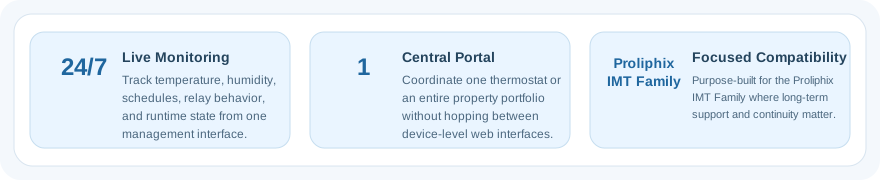
See thermostat status, current readings, operating state, override state, and location-based details without bouncing between individual thermostat web pages. The dashboard is built to keep your most important building information in one working view.
Reduce Energy Use with Better Scheduling

Create date and time based overrides, recurring events, and instant temporary changes so thermostats are not conditioning spaces longer than necessary. The goal is better control of occupied needs without wasting runtime after hours.

Spot Potential Problems Earlier

Use history, runtime behavior, and outdoor weather context to help identify unusual conditions that may point to heating or cooling equipment problems, comfort drift, or inefficient operation that deserves a closer look from operations or service staff.

Made for the Proliphix IMT Family, Not Generic HVAC Marketing.

IMT550.com stays focused on the thermostat family it was created to support. That means the workflow, vocabulary, and management tools are aligned to the realities of long-running IMT deployments rather than forcing your team into a broad, generic building platform.

For organizations still operating IMT Family thermostats, that focus matters. It reduces friction, shortens training time, and gives building teams a practical way to keep older smart thermostats organized, visible, and useful.

Includes free account setup assistance, thermostat onboarding help, and user-role definition support.
Proliphix IMT Family compatibility cards

How the Portal Works

The service is designed to keep the onboarding path straightforward while still giving you the tools to manage thermostats with more discipline once they are online.

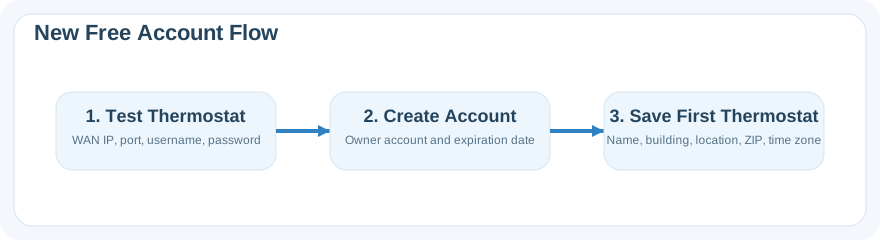
Test the Thermostat Connection

Before opening a new account or adding a thermostat, the portal tests the WAN IP, access port, and thermostat credentials to confirm a live connection is available.

Create the Account and Roles

Set up the main owner account, then add manager or viewer users so the right people can monitor, control, or simply review the thermostat portfolio.

Organize Thermostats and Schedules

Add thermostats to the dashboard, define locations, apply ZIP and time zone information, and build recurring event schedules or one-time overrides when needed.

Monitor, Review, and Adjust

Use the dashboard and history tools to review runtime, watch live status, make instant adjustments, and respond quickly when building conditions or operating schedules change.

Mobile App Available

The portal also offers a mobile-focused dashboard view for users who need quick access from a phone. It keeps the most useful live information close at hand without requiring the full desktop table layout.

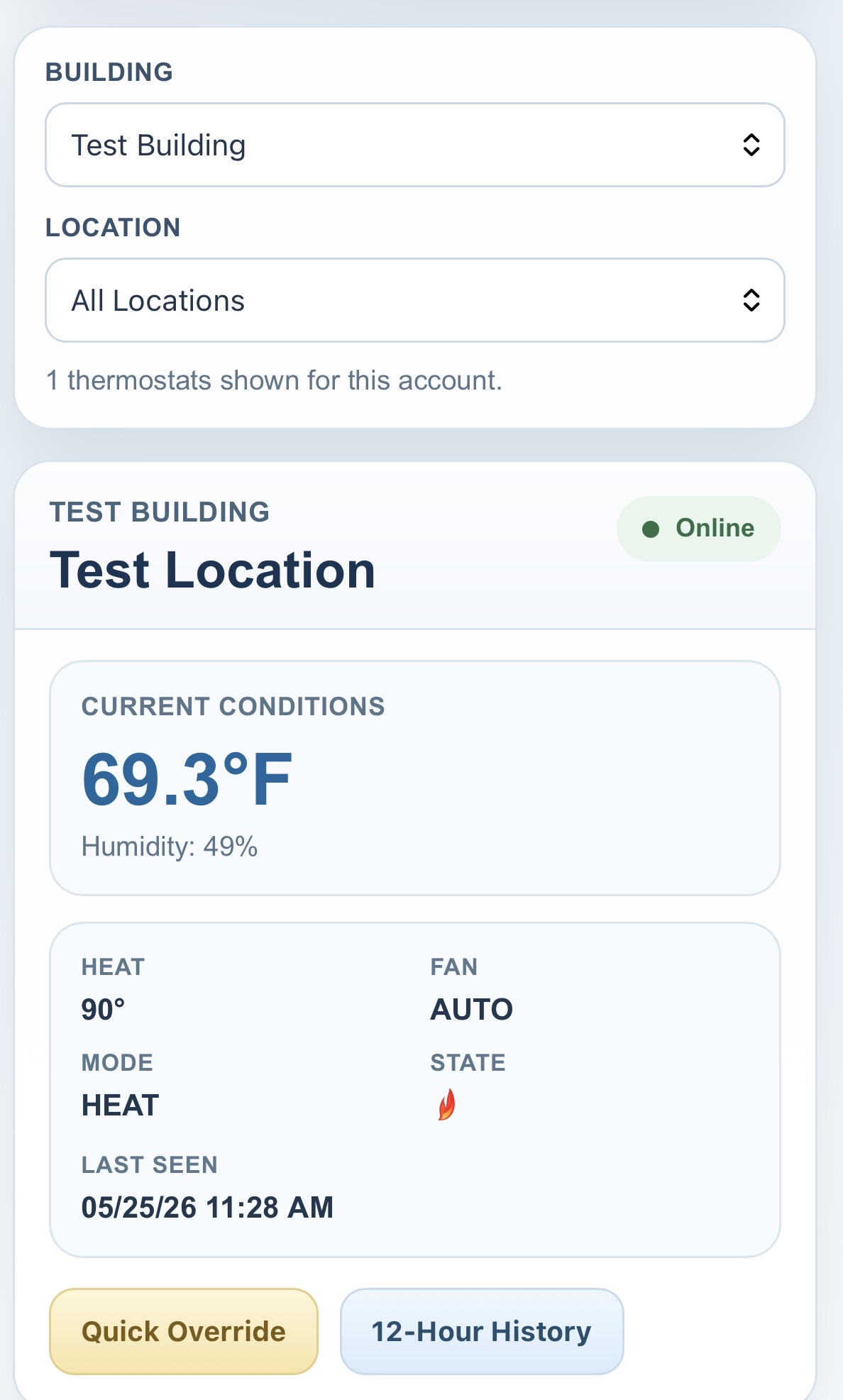
The mobile view uses thermostat cards that make it easier to scan building, location, current comfort conditions, fan and HVAC status, and active override timing on smaller screens.

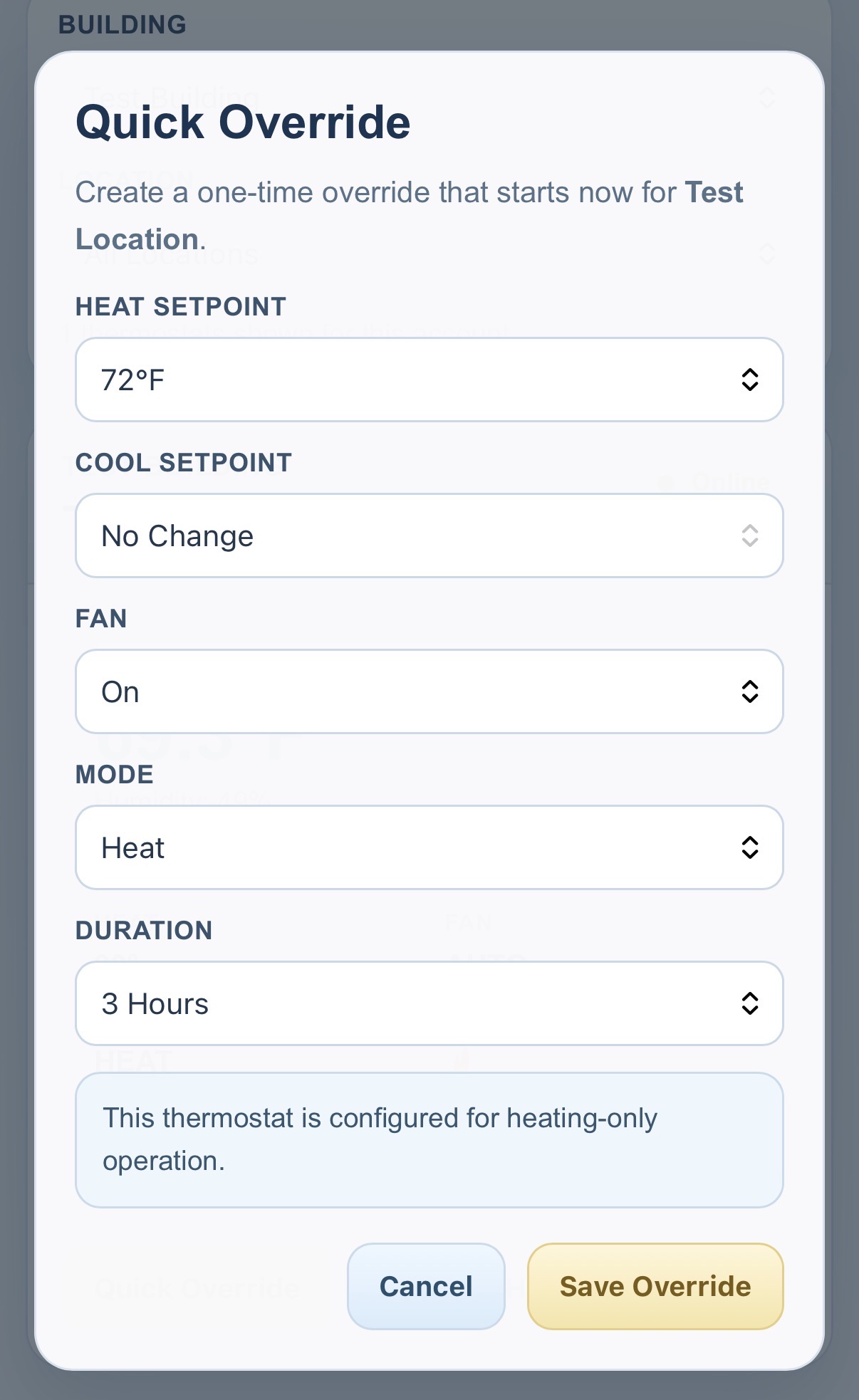
Users with the proper access level can launch a quick override directly from the mobile card, while all users can review the lighter mobile presentation of current readings and recent status.

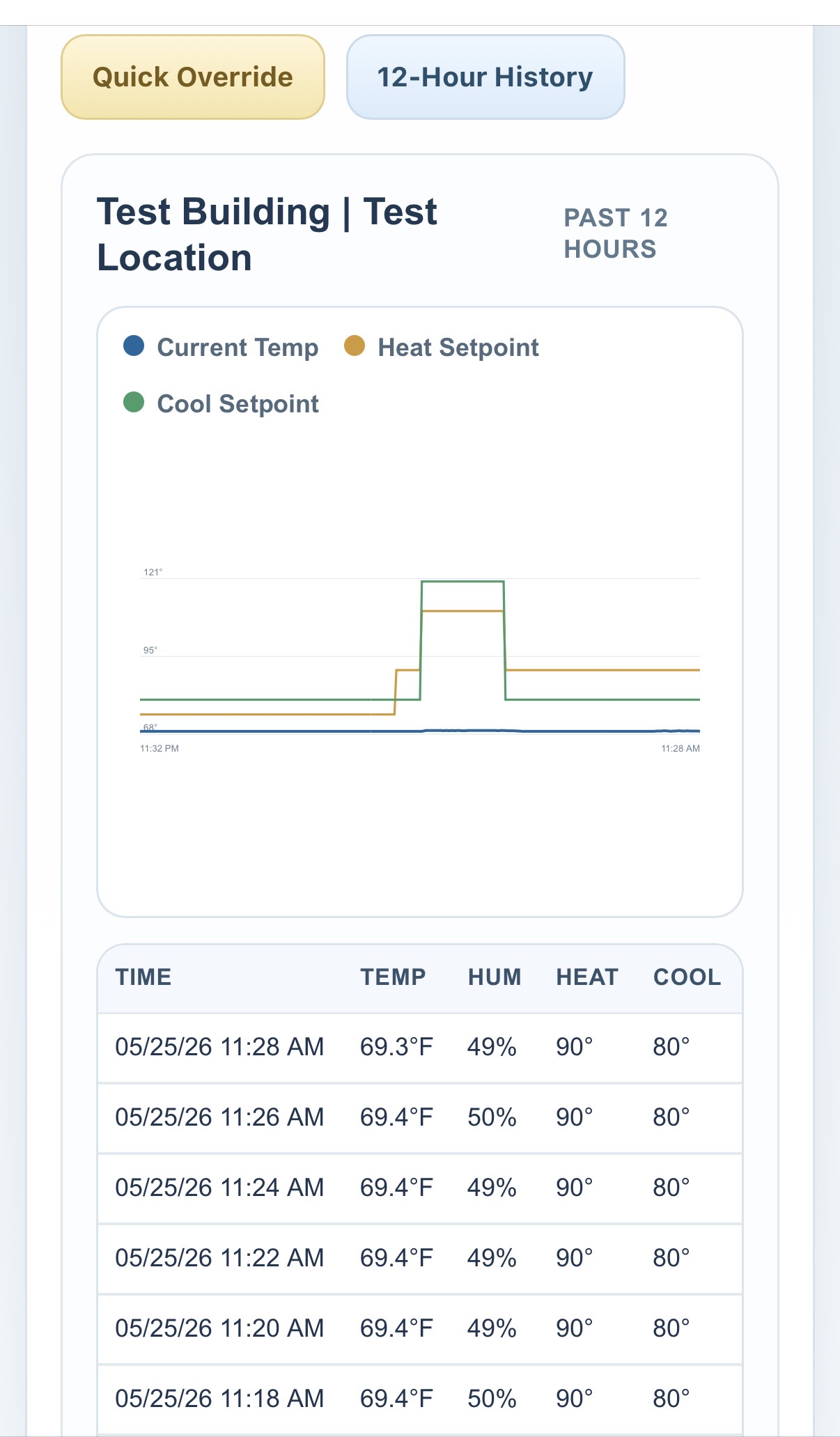
Each mobile thermostat card also supports a 12-hour history view with a graph and raw data table, making it easier to review recent activity while in the field.

When needed, users can switch back to the full dashboard experience for broader table-based management, multi-thermostat workflows, and the full portal toolset.

Mobile thermostat card view Card-Based Monitoring Review live temperature, humidity, state, setpoints, and override timing in a compact phone-friendly layout.
Mobile quick override view Instant Override Access Open a fast override control from the card when an immediate temporary comfort change is needed.
Mobile history graph view 12-Hour Mobile History See a short graph and raw data table for recent thermostat activity without leaving the mobile view.

More Than Just Basic Thermostat Access

The portal is intended to supplement and organize thermostat operations, not just offer remote logins. Account-based management gives building teams a better way to assign responsibility, review actions, and work from a shared operational dashboard.

Role-based access for owners, managers, and viewers so users only see and control what fits their responsibility.
Recurring events and one-time overrides for day-to-day scheduling needs that are easier to manage than repeated device-by-device changes.
Historical graphing and reporting that help teams understand how thermostats have behaved over time instead of relying only on the current screen.
Outdoor temperature and humidity context by thermostat ZIP code to support review, troubleshooting, and future data-driven features.

Custom Functions When Your Account Needs More

IMT550.com can also support custom-built functions for accounts that want a faster way to carry out repeated operational actions. Those custom tools can be designed for one thermostat, a group of thermostats, or a broader account workflow.

For example, an account may want a one-click action that restores occupied setpoints across selected thermostats during a weather event, special occupancy condition, or service situation. If a custom function is built for your account, it can be surfaced directly in the portal for faster use.

Free Trial accounts are available for testing the portal and confirming the thermostat connection path works for your sites.
Request Information if you want help with onboarding, advanced use, or discussing custom account features before rollout.
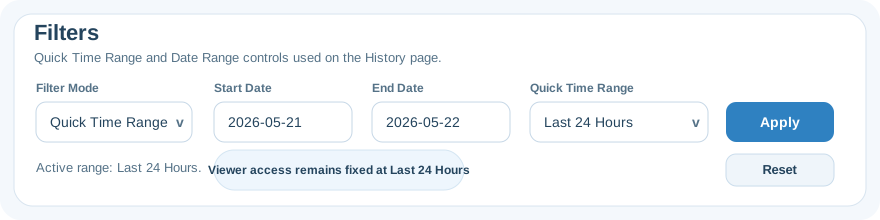
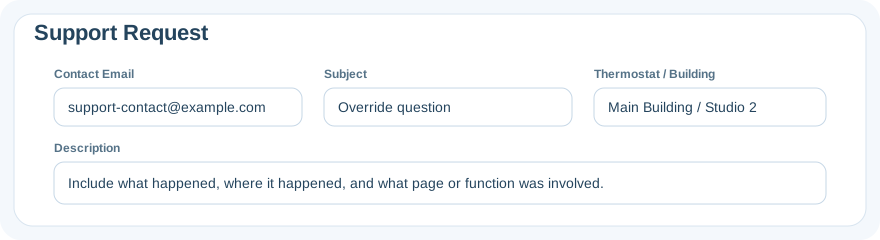
History filter options Support request form
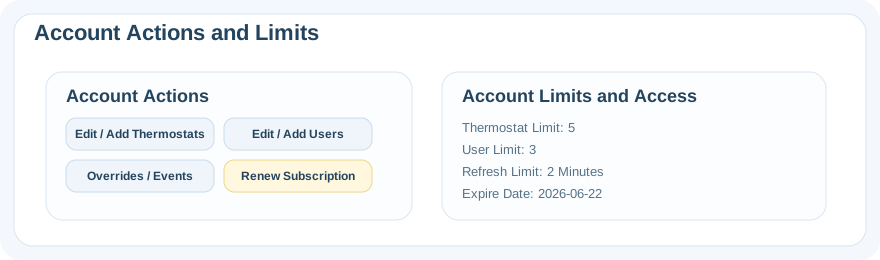
Account actions and limits New account flow

Start with a Free Trial or Let Us Help You Set It Up.

New to the portal? Start with the free trial path and test thermostat connectivity first. Need a hand? IMT550.com also offers a free service to help set up an account, add thermostats, and define user roles so your team can get into the dashboard with less friction.

© 2026 A joint effort of Hayley Brooke Solutions and Aubrey Sophia Software
Privacy Policy | Terms of Service